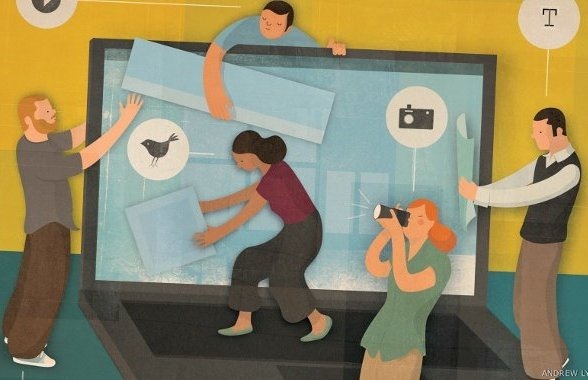
 Just like any other business across industries and sectors, art and performance too need a boost when it comes to reaching out to a wider audience and grow. Having a social media presence was and will probably not always ensure direct sale of tickets or contribute to the income of artists. What it will rather do is build engagement and conversations and in the process help people in remembering and recognizing the name and who knows, it might even drive audience in. Let’s look at how social media is pioneering a whole new culture of enhanced audience reach out and increased awareness.
With the explosion of social media came a tech savvy breed of artists, musicians, performers and the likes of other creative individuals and organisations who ushered in the age of dynamism; not just in the ways of personal expression, but also in ways how it is consumed/experienced by the audience.
For the Shutterbugs:
For instance, Andy Adams’ Flak Photo, integrated with Twitter and Facebook and Slideluck Potshow’s extensive use of Ning network (enables users to create custom social network) are unique photography-driven initiatives that sets up a community of photographers who appreciate visual art and furthermore fuel art education. Curators, editors and photography fans throng these portals in search of rich and original visual captures, often lesser heard of in popular circuits. According to Adams, the major benefit of such forums and Facebook is to inspire and encourage international dialogue about the works and artists featured.
Besides these highly customised and type-centric portals, there are blogs, of course, which serve as one of the most affordable and the most feasible platforms to get the word out.
For the lovers of brush and canvas:
Individual artists or art organisations or museums are coming up all over the over the world and a lot of them usually treat social media as their second nature. To serve as an example or two, the Minneapolis’ Walker Art Center offers a platform for art aficionados to connect and join on various discussions, showcases and events with the content put out on the site pertaining to design, education, new initiatives and visual and performing arts. In addition, they publish art history and podcasts are made available through their iTunes U channel. One of their tabs on their Facebook page, At the Center, gives out details of exhibitions and events at their modern and contemporary theatre that is home to performing arts, dance, theatre and music. To keep patrons and enthusiasts hooked in real time, Twitter serves as an ideal medium.
The Brooklyn Museum in Brooklyn, New York, follows a similar approach by employing community tools and integrating various multimedia options to garner and tap on the socially savvy audience. The museum provides and encourages users to explore the museum’s collection online. In addition, an aggregated blog to keep the dialogue live and a regularly updated Facebook and Twitter accounts let people discover the plethora of artists that the museum endorses; all the time ensuring they point to the website/blog for fresh content. For a nominal fee, one can choose to take up the social networked museum membership that allows access to exclusive events and artist-created content.
For most independent artists, a blog usually provides an economical and effective option to exhibit and publicise art works and philosophy. This builds up the steam and in due course a fan page/profile on Facebook or a profile on Twitter augments the artist’s independent online gallery. After a point in time when an artist/ organisation/museum gathers a critical online mass, videos of interviews, concept development, influences, exhibitions, user reviews among others could be posted on YouTube.
For the purveyors of performing arts:
Music, dance, theatre, films and all associated events/festivals globally are increasingly taking to social media to expand their pool of fans and deliver to them an experience unparalleled. To begin with, let’s consider films.
Hollywood launched the Inside Experience sometime last year in collaboration with Toshiba and Intel to create one-of-a-kind social film directed by D.J.Caruso and starring the award winning actor, Emmy Rossum. The huge success that it amassed was primarily driven through social media. The concept was such that Emmy’s character was left stranded in a room with just a laptop and an untraceable internet connection. The promo clip that was shot and released on July 25th last year acted as a prelude and offered the audience a chance to shape the film. Up till July 20th, the audience could audition on YouTube for a cameo in the film. The film got aired in short bursts of episodes that later got edited and shown as one whole film.
The concept required the audience who could be Emmy’s friends, family and a world of strangers to offer solutions and help her escape out of the room she was trapped in. They could tweet to her or/and suggest actions on her Facebook timeline. The best answers were weaved together to form a cohesive plot. Well received by the online community, this stands out as a novel way for today’s film makers to identify the right mix and utilise social media in their favour.
Most importantly, the buck doesn’t stop here. Today, social media offers a host of opportunities to anyone ranging from a documentary or a short film to big budget film-makers. Film festivals have suddenly become a rage with the celluloid lovers. How is this made possible? From the much acclaimed Cannes Film Festival, Melbourne International Film Festival, Toronto International Film Festival to our very own International Film Festival of India (IFFI), everyone is using social media to bite a grab a bite of the global audience.
IFFI, for instance, launched dedicated pages on Facebook and Twitter besides aggressively promoting their cause on blogs, consumer forums and news sites. This was followed by closely monitoring and following the partners, prominent celebrities across the globe, directors, producers and other related film festivals. Grabs from films featured, the schedule, major star attractions and exclusive grabs of interviews along with pictures were circulated through select social networks in the run up to the main event. In a span of a month numbers shot up and garnered a lot of international attention and interest.
The music and the theatre community have soared to great heights in terms of using social media too. Although many musicians, theatre groups, organisations and festivals/events are using Facebook and Twitter extensively, this segment is focusing more on niche social marketing. Companies such as Ning provide an excellent platform for any performing group to launch their own social network and have discussions and interactions with a select batch of patrons/fans who could later on become potential ambassadors for the brand. Meetup is one such community that thrives on gathering talent pool with people who share common interests or hangout or collaborate for projects.
Even music festivals and theatre groups’ closer home are not missing out on an opportunity to capitalize on the potential of social media. Take for instance, the recent success of India’s gradually growing into a wide scale and one-of-a-kind music festival, Bacardi NH7 Weekender. Two years into running and bringing together various acts and gigs at a single venue, it has reached out to a growing niche segment of music aficionados and the glory of open air music festivals. Much of its success is owed to the aggressive use of social media. In a span of less than 2 years its Facebook page already boasts of acquiring close to 50, 000 fans and during the festivals it regularly features in twitter trends. The recently launched Festivapp, integrated with Google Play and downloadable from iTunes, is a definitive mobile app that gives a list of similar festivals/events happening in the country. The feeds are reflected on the user’s Facebook and Twitter feed, should they choose to publish it. Besides this, there is an interactive map, interactive schedule and photo booth (allows user to take photographs themed around the festival) feature also available for exploits.
Individual music groups are already a hit on the social media with fans. From announcing tour dates to candid behind the camera grabs, making of a video to exclusive bites from band members and fan interaction; Facebook, Twitter, Myspace and YouTube have become crucial platforms for the bands/groups to get inspired and grow. From bands like Coldplay, Metallica, DJ Tiesto to individual artists such as John Mayer, Rihanna and even the ones closer home; Parikrama, Indian Ocean, Pentagram and others, they’re all branching out to social platforms where there audience already is.
When it comes to theatre, there still is still a lot to be done as there are only a handful of scattered theatre groups or organisations that have a social media presence. Consider for instance, the Mikron Theatre Company in the UK spends a lot of time (40 years) touring (mostly on an old canal narrow boat). Mikron has a page on Facebook, an account on Twitter, a dedicated YouTube channel that showcases open rehearsals, trailers of plays, tour kick-off exclusives etc. and a blog that is integrated to the website that gives sneak-peaks to backstage activities.
Closer home, Prithvi theatre, one of the most popular and illustrious theatre organisations from Mumbai is gradually catching up with the social media buzz. The Prithvi Theatre Festival that is held annually brings together some of the best known playwrights, directors, actors and theatre groups. Promotion primarily takes place through their website, Facebook and Twitter accounts. Although, they have a channel on YouTube, it is sparingly used and there’s a huge scope to utilise this platform.
In your opinion, what do you think of creative entities using social media to draw in audience and deliver entertainment and learning? Share them in the comments section below.
 If you are still under impression that only your resume and technical & communication skills are considered while recruitments, you need to revise your assumptions, especially if you are a job seeker and active on various social media platforms. Your social media activities have a major impact on your recruitment possibilities.
 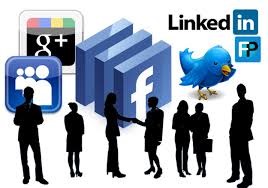 If a company has strict policies against internet and smartphone usage, it may want to avoid a social media addict who updates his whereabouts and activities every hour. Similarly, posts about hating Mondays and weekdays can put a negative impression about your professionalism and passion for work. The smart way to get through the social media scrutiny could be narrowing the industry you want to join, studying the basic criteria of judging a candidate’s personal branding by the firms and designing your personal branding strategy accordingly.
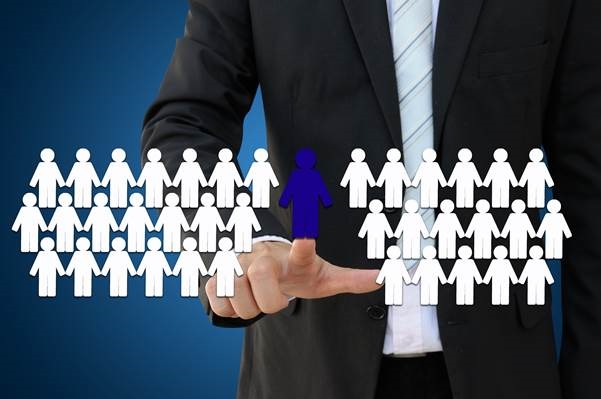 There are certain don’ts and no-no’s too that you should always take care of while posting stuff on social media. Writing a post about how you felt after a hangover, a rendezvous with local police, caste-race based comments, supporting use of abusive language, etc. are the things that might land you in trouble. What can help you authenticate your profile can be your posts and pictures of doing the tasks for the social causes that you have signed up for in your profile introduction.